 BrightSync
One master slider
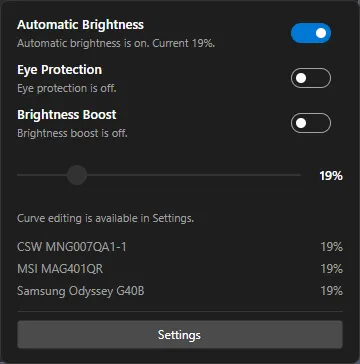
Move one slider in the tray and every enabled monitor follows, laptop panel included. Set limits once and forget them.
Free and open source
BrightSync lives in your tray and keeps all your displays, including the laptop panel, at one shared brightness. Set limits per monitor once, add an automatic day curve, and stop reaching for monitor buttons.
Features
BrightSync follows a simple idea: configure it once, then never think about monitor brightness again.
Move one slider in the tray and every enabled monitor follows, laptop panel included. Set limits once and forget them.
Talks to the monitor itself, so it works with the hardware controls instead of a color overlay. Contrast, volume, RGB gain, presets and input source are one click away where the monitor allows.
Built-in displays are controlled through WMI on Windows and the backlight interface on Linux, and treated like any other monitor.
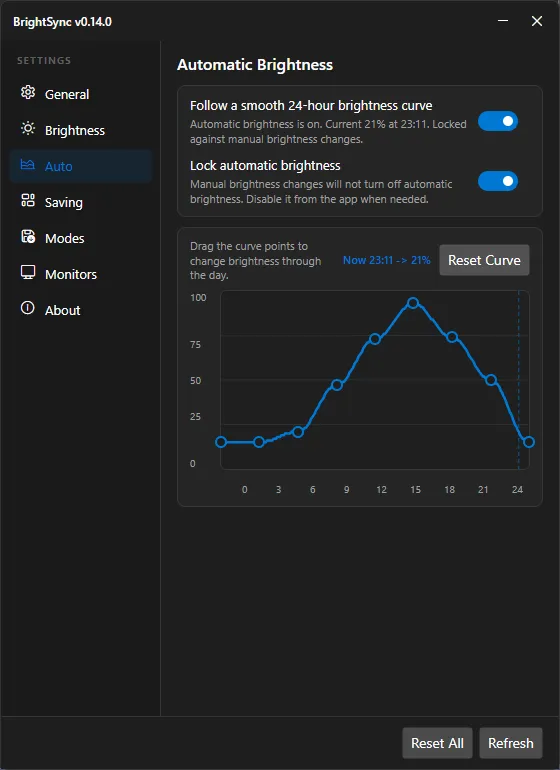
Drag points on a smooth curve and brightness follows the clock, recalculating after sleep and time changes.
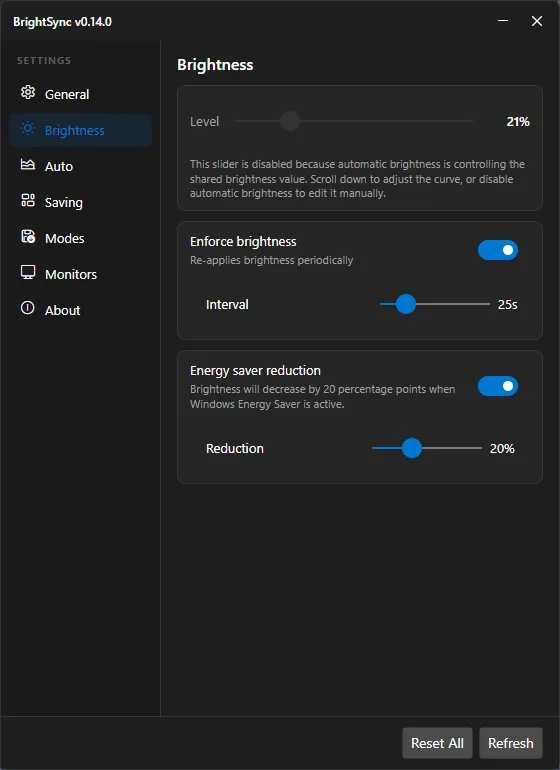
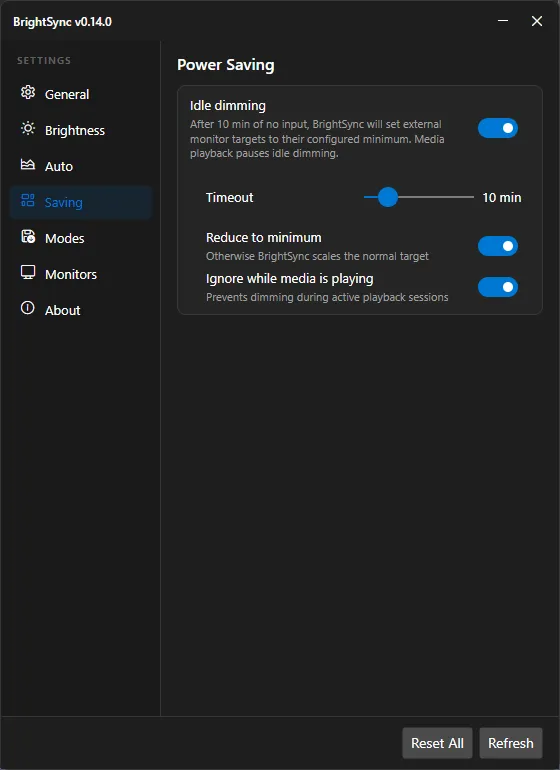
Dim after inactivity, optionally ignoring media playback, and reduce brightness when the system power saver turns on.
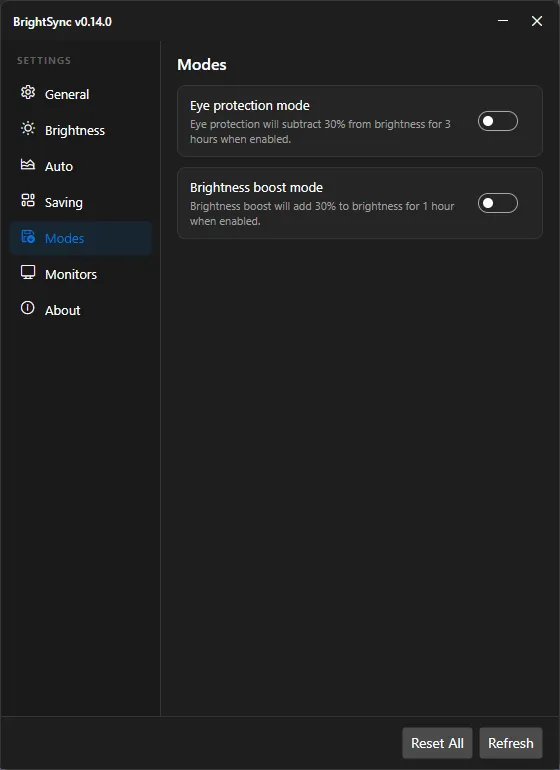
One-click timed dimming for late evenings, or a timed boost for bright rooms. The two modes never fight each other.
Minimum, maximum and a multiplier per monitor so mismatched panels look the same at every level.
Re-applies brightness after wake, unlock and hot-plug, and can recover monitors that forget their settings.
Bind your own hotkeys with brightness up/down, status --json and more. No hotkey daemon needed.
MIT licensed, built in the open. The only network request is the optional update check against GitHub.
The same app and settings file on both. Packages for Debian, Fedora, Arch, Alpine, openSUSE, AppImage and Windows, on x64, arm64 and more.
Compiled with Native AOT: a single self-contained binary, instant startup and a small memory footprint.
How it works
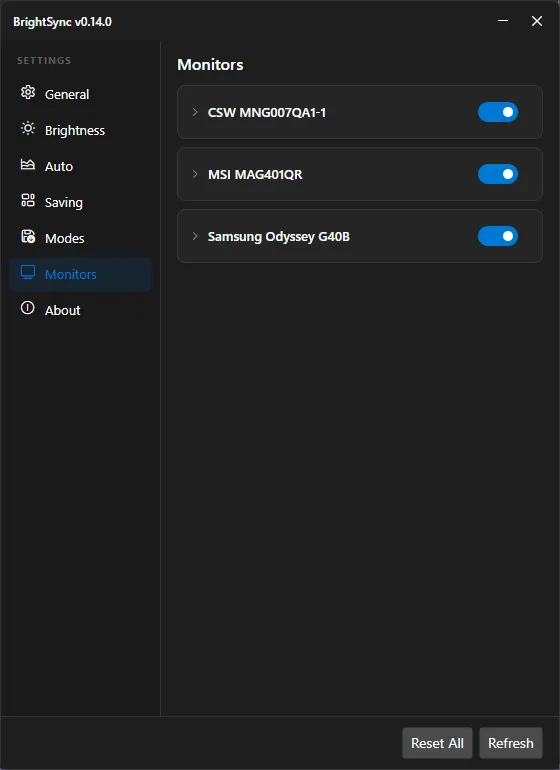
BrightSync finds your displays, names them from their own metadata, and shows each one in Settings.
Set a minimum, a maximum and a multiplier so a dim old panel and a bright new one match at every level.
Drag the master slider, bind the CLI to your hotkeys, or switch on the automatic day curve and idle dimming.
Screenshots
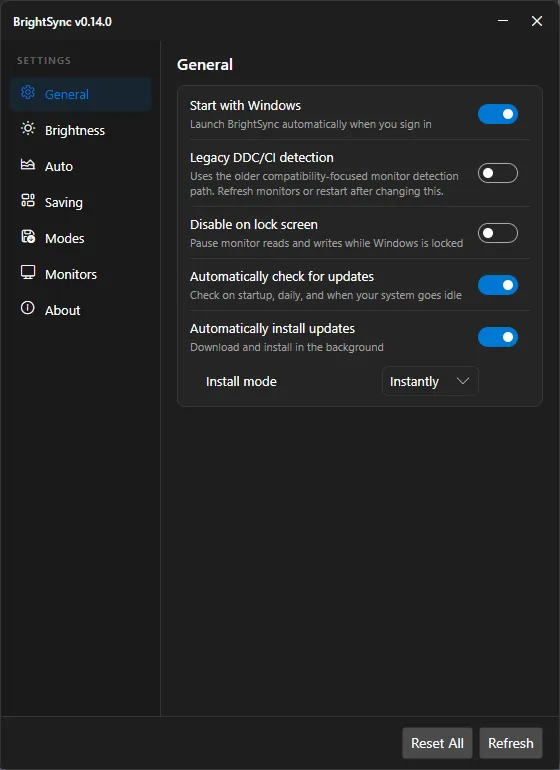
Screenshots show the Windows build; Linux uses the same window.
Platforms
The same app and the same settings file on both. Controls a platform cannot support are hidden instead of shown disabled.
Installer and portable zip. Native AOT build. Use the Flow Launcher pluginto control brightness and modes with the bs keyword (Flow Launcher 2.x, Python 3, and BrightSync running).
deb, rpm, Arch, Alpine, AppImage and a portable archive. *Portable archive with a .NET 10 runtime.
The full test suite and a launch test run on each.
| Feature | Windows | Linux |
|---|---|---|
| External monitors over DDC/CI Linux needs access to /dev/i2c-N, set up by the packages | Supported | Supported |
| Contrast, volume, RGB gain, presets, input source | Supported | Supported |
| Laptop panel brightness | Supported | Supported |
| Tray icon, quick popup, settings window GNOME needs the AppIndicator extension | Supported | Supported |
| Automatic curve, eye protection, boost, enforcement | Supported | Supported |
| Idle dimming and ignore while media plays Linux: X11 sessions and GNOME on Wayland | Supported | Supported |
| Pause while the session is locked | Supported | Supported |
| Reduce brightness in power saver mode Linux uses power-profiles-daemon | Supported | Supported |
| Start at login | Supported | Supported |
| Refresh rate, ICC profile and HDR controls | Supported | Not available |
| Automatic update install Linux updates through your package manager | Supported | Not available |
Download
Free, no account, no telemetry. Pick the build for your system.
Looking for your build. If this stays empty, open the releases page.
Run this command to install the latest release for your CPU. Run it again to update.
curl -fsSL https://raw.githubusercontent.com/bberka/BrightSync/master/install.sh | bashFor a system-wide install, add --system and run with sudo:
curl -fsSL https://raw.githubusercontent.com/bberka/BrightSync/master/install.sh | sudo bash -s -- --systemFor a per-user installation (your settings are kept):
curl -fsSL https://raw.githubusercontent.com/bberka/BrightSync/master/install.sh | bash -s -- --uninstallFor a system-wide installation (your settings are kept):
curl -fsSL https://raw.githubusercontent.com/bberka/BrightSync/master/install.sh | sudo bash -s -- --system --uninstallEvery release ships a BrightSync-SHA256SUMS.txt so you can verify downloads. Linux install commands are in the README and the Linux guide.
Command line
BrightSync does not ship a hotkey daemon. Bind the CLI in AutoHotkey, PowerToys, your desktop's shortcut settings or a script, and it talks to the running tray app.
On Windows the command is BrightSync.exe; on Linux it is brightsync.
# one-shot, works even when the tray app is not running
brightsync brightness set 55
brightsync brightness up 10
brightsync brightness down 10

# talk to the running tray app
brightsync status --json
brightsync auto on
brightsync eye-protection on --hours 3
brightsync boost on --hours 2
brightsync monitors refresh
FAQ
External monitors need DDC/CI, which almost every monitor with a DisplayPort or HDMI input supports and which can be switched on in the monitor’s own menu. Docks, KVMs and some adapters block it. Each monitor row in Settings tells you which backend was used and why a monitor is not controllable.
Yes. BrightSync runs through XWayland, and brightness control does not depend on the display server because it talks to the monitor over I²C and to the laptop panel through the kernel. Idle dimming needs idle time from the compositor, which on Wayland only GNOME provides; other Wayland desktops hide that option.
GNOME does not show tray icons by default. Install the AppIndicator and KStatusNotifierItem extension, or control BrightSync from the command line. KDE, XFCE, Cinnamon, MATE and others work out of the box.
Packages are provided for Debian and Ubuntu (deb), Fedora and openSUSE (rpm), Arch (pacman), Alpine (apk), an AppImage for anything else, and a portable archive for architectures such as riscv64. The test suite and a launch test run on Ubuntu, Debian, Fedora, Alpine, Arch and openSUSE.
On Windows BrightSync checks GitHub releases and can download, verify the SHA-256 checksum and install the matching installer. On Linux it tells you a new version exists; rerun the install command on this page to update, or use your package manager for a package installation.
It is free and open source under the MIT license. The only network request is the optional update check against GitHub. Diagnostics export is a local file you choose to share.